It waits in your menu bar
Veil sits next to the clock and counts down to your next meeting. Click it to see what's next, pick which calendars count, and choose how early it should appear.
For macOS · Free
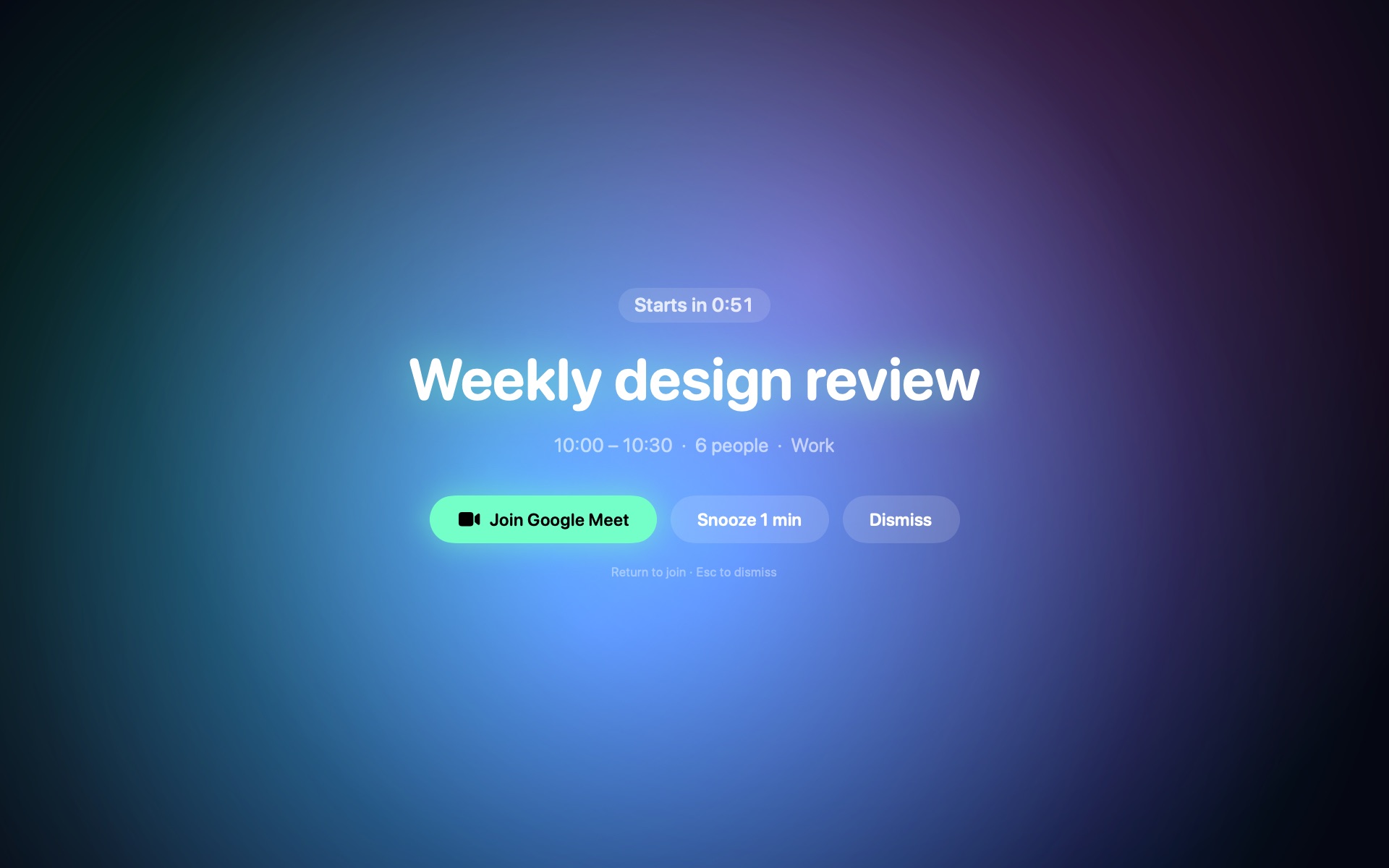
Notifications slide by. Veil takes over your whole screen a minute before every Google Calendar meeting, so you join on time with a single key.
Version 1.0 · macOS 14 or later · Apple silicon
Works with
How it works
Veil sits next to the clock and counts down to your next meeting. Click it to see what's next, pick which calendars count, and choose how early it should appear.
A minute before start, Veil covers every display, even full-screen apps and presentations. A live countdown shows exactly how long you have.
Veil finds the Zoom, Meet, Teams or Webex link in the invite. One key joins, and Zoom links go straight to the Zoom app. Need a minute? Snooze it.
Themes
Eight looks, from calm to loud, plus your own photo. Animated skies, a CRT terminal, rain on a window, a synthwave sunset.
Or pick Surprise me for a different theme at every meeting, or use a photo of your own.
Details
Laptop, external monitor, a presentation in full screen: Veil covers all of them, or just your main display if you prefer.
Return joins, Esc dismisses. Zoom links go straight to the Zoom app.
Need a minute? Snooze for 1, 2, 5 or 10 minutes and Veil comes back.
Add several Google accounts. A meeting on two calendars still pops up once.
Declined, all-day and "free" events are skipped. Optionally, only meetings with a video link.
A compact countdown, or a big ring that drains as the meeting gets closer.
Pick from ten sounds, or none at all. Veil starts at login and stays out of your way until it matters.
Privacy
Veil has no servers. It talks to Google directly, with read-only access, and keeps everything on your machine.
FAQ
Nothing. Veil is free.
Google Calendar, including Google Workspace accounts. You can connect several accounts and choose exactly which calendars trigger a reminder.
Yes. Veil appears above full-screen apps and on every Space. By default it covers all displays; you can switch to the main display only.
One minute before by default. You can choose the moment the meeting starts, or 2, 5 or 10 minutes before.
It stays on your Mac. Veil reads your events directly from Google with read-only access and keeps them in memory only. There's no Veil server in between. Privacy policy.
A Mac with Apple silicon (M1 or later) running macOS 14 Sonoma or newer, and a Google account.
Quit Veil from its menu bar panel and move it to the Trash. To remove its saved sign-in too, delete ~/Library/Application Support/Veil.